![RazorSync_Icon.png]](https://help.razorsync.com/hs-fs/hubfs/RazorSync_Icon.png?height=40&name=RazorSync_Icon.png)
Invoice location
The failed Payment reason will show on the top right corner on the Invoice Details. Next to the Print and Email option. 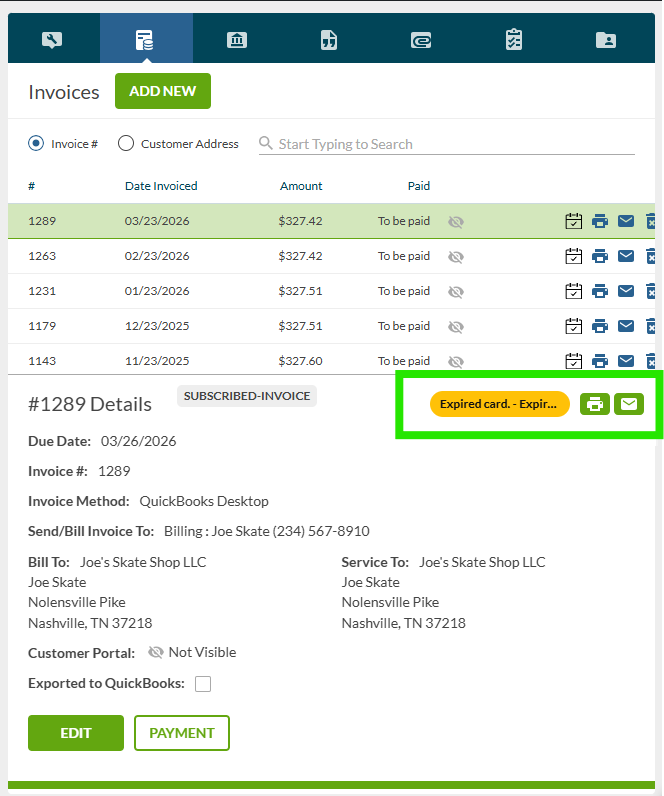
Contact location
Since the Card on File is stored on the Contact, if you click on the Contact, it will also show the most recent failed payment reason on the Contact. 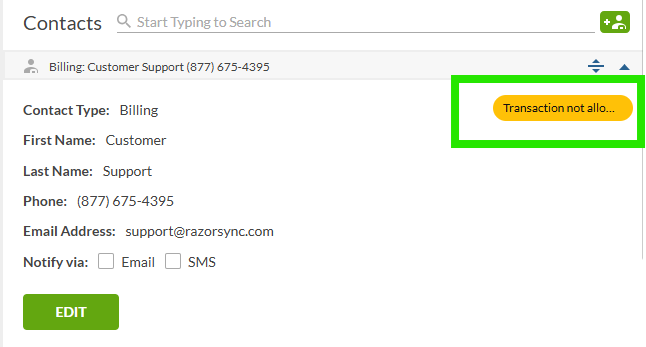
Ad Hoc Report
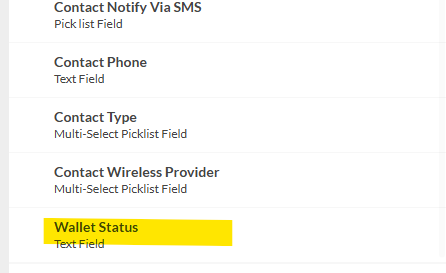
You can also now see the status of the card on file when using the Contact Based Ad Hoc Report. To do this, Add the Wallet Status field to the report to see if the card is active or has failed.
This field is located under the Contact Folder when creating the Contact report. 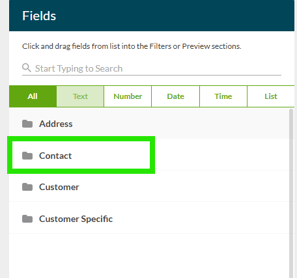
Check out our Ad Hoc Report How To article for tips on creating Ad Hoc Reports.
Ad Hoc Report How To Guide